Knowledge base
1000 FAQs, 500 tutorials and instructional videos. Here, there are only solutions!
Manage the file types interpreted by PHP
This guide explains how to enable support for certain file types (e.g., .inc) on an Infomaniak web hosting account, so that they are processed in the same way as a .php file.
Introduction
- Previously, you had to add the following line to a
.htaccessfile:AddType application/x-httpd-php .inc- This prevented the file's content from being displayed as text when accessed via a browser, instead of being correctly interpreted by PHP.
- Now you can manage file extensions via the FPM Extensions field in your hosting's Manager.
Manage PHP-recognized extensions
To add support for a specific file type:
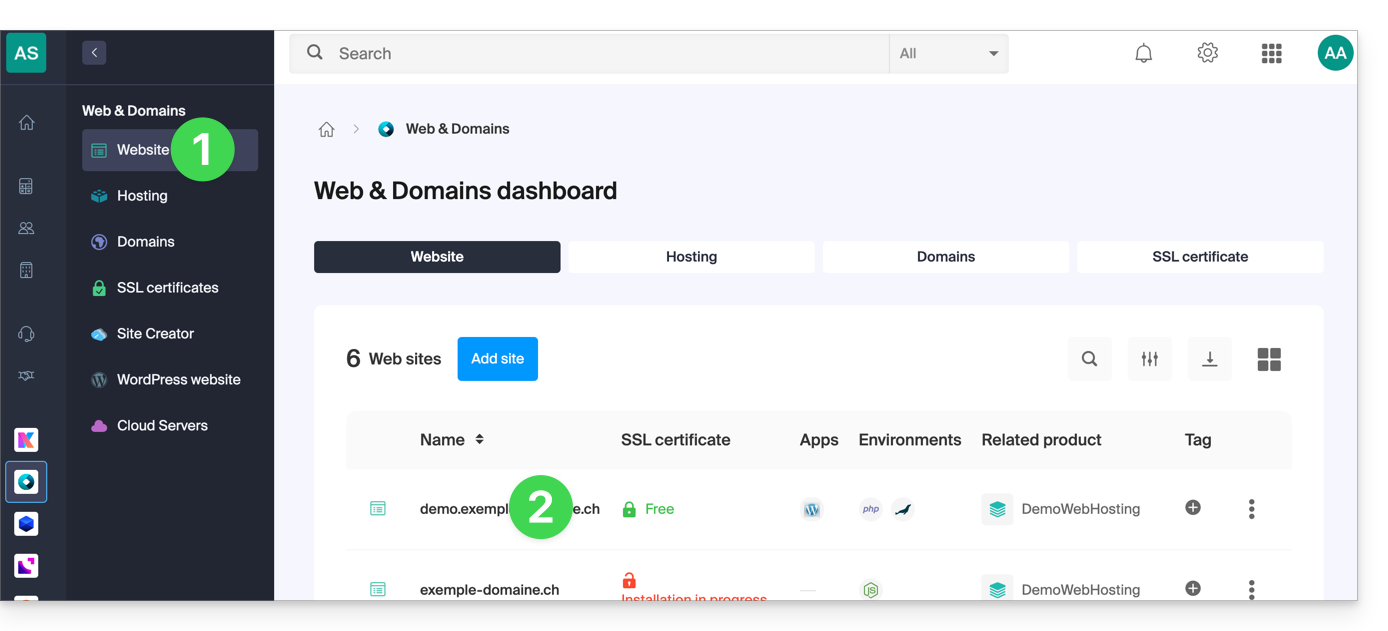
- Click here to access the management of your website in the Infomaniak Manager (need help?).
- Click directly on the name assigned to the website in question:
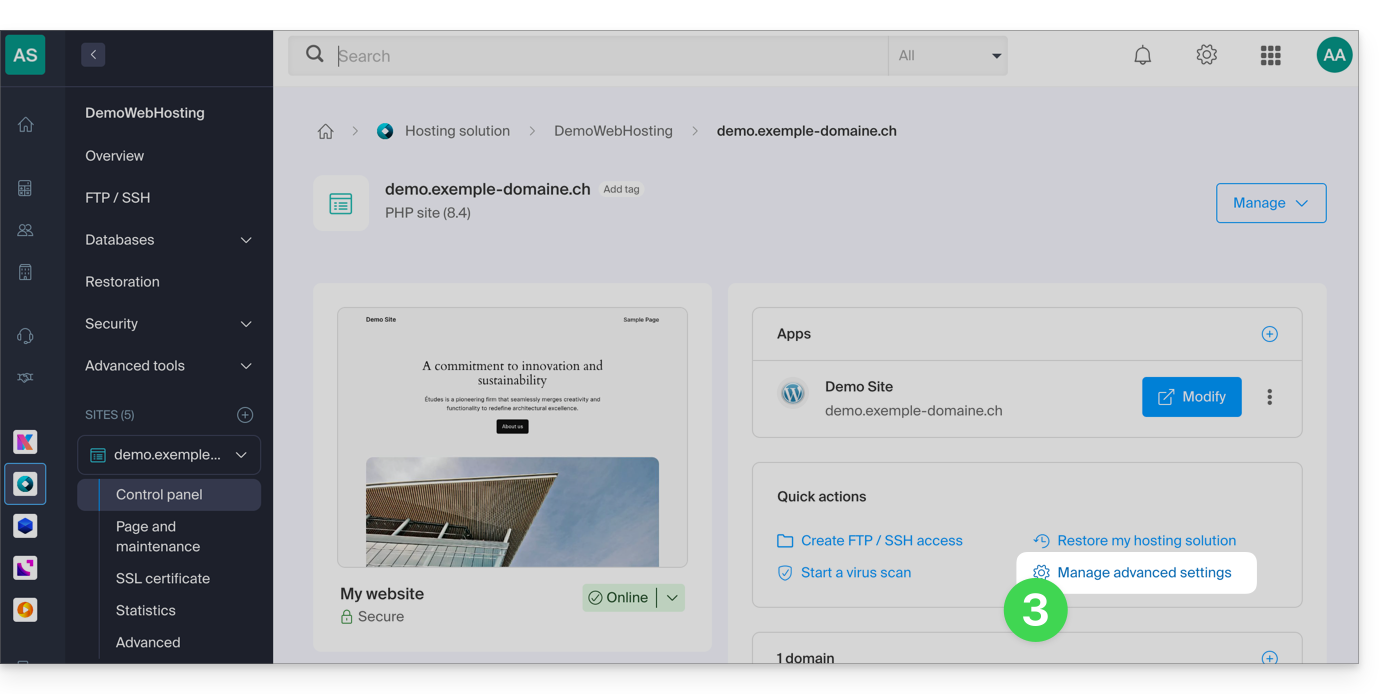
- Click on Manage advanced settings:
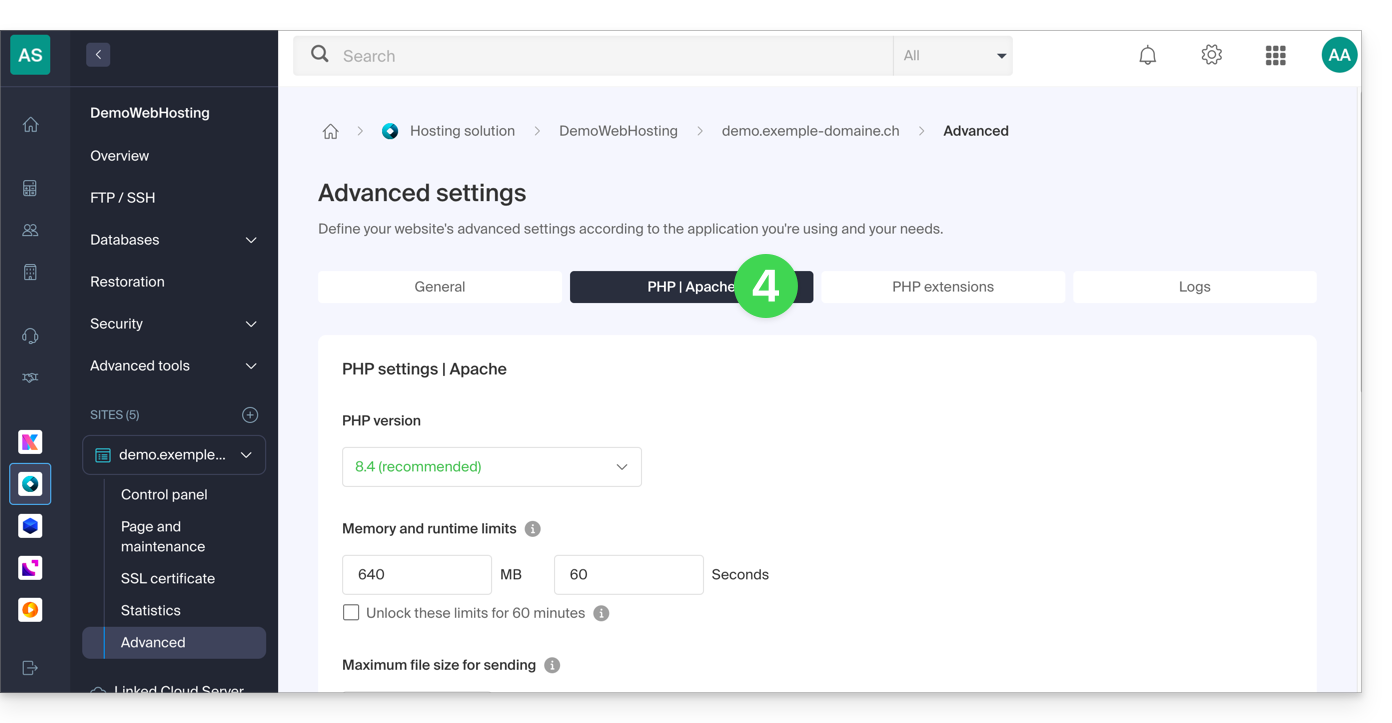
- Click on the PHP / Apache tab:
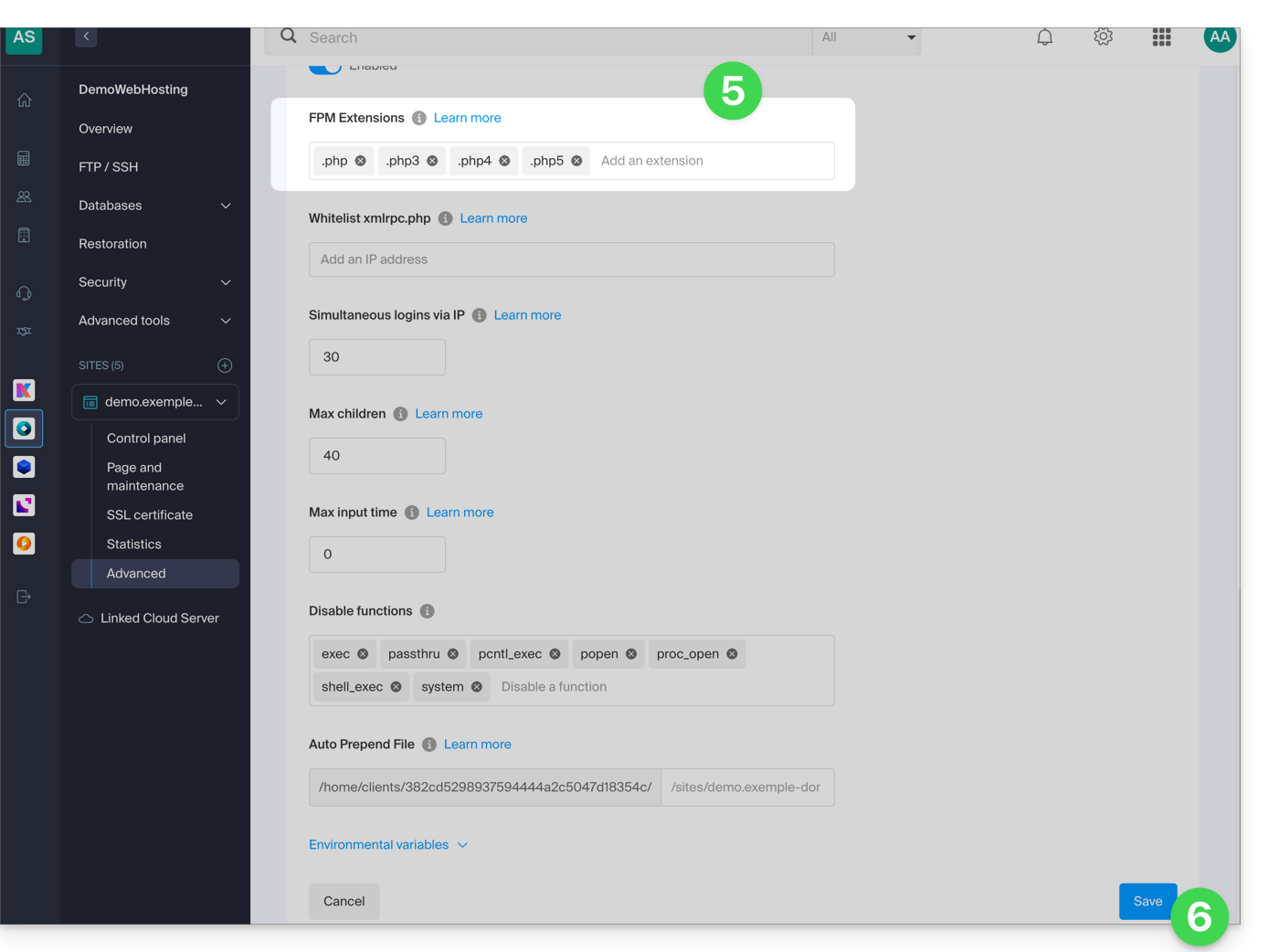
- Edit the FPM Extensions field to add the desired extensions.
- Click the button at the bottom of the page to save:
Link to this FAQ: https://faq.infomaniak.com/82
Has this FAQ been helpful?