Knowledge base
1000 FAQs, 500 tutorials and instructional videos. Here, there are only solutions!
Export contacts from Infomaniak Contacts
Update 09/01/2026
This guide explains how to save and export your contacts from the address books in the Infomaniak Contacts web app (online service ksuite.infomaniak.com/contacts).
Introduction
- It is not possible to export an Organization directory.
- The export generates a file of type vCard with the .vcf extension.
Export contacts
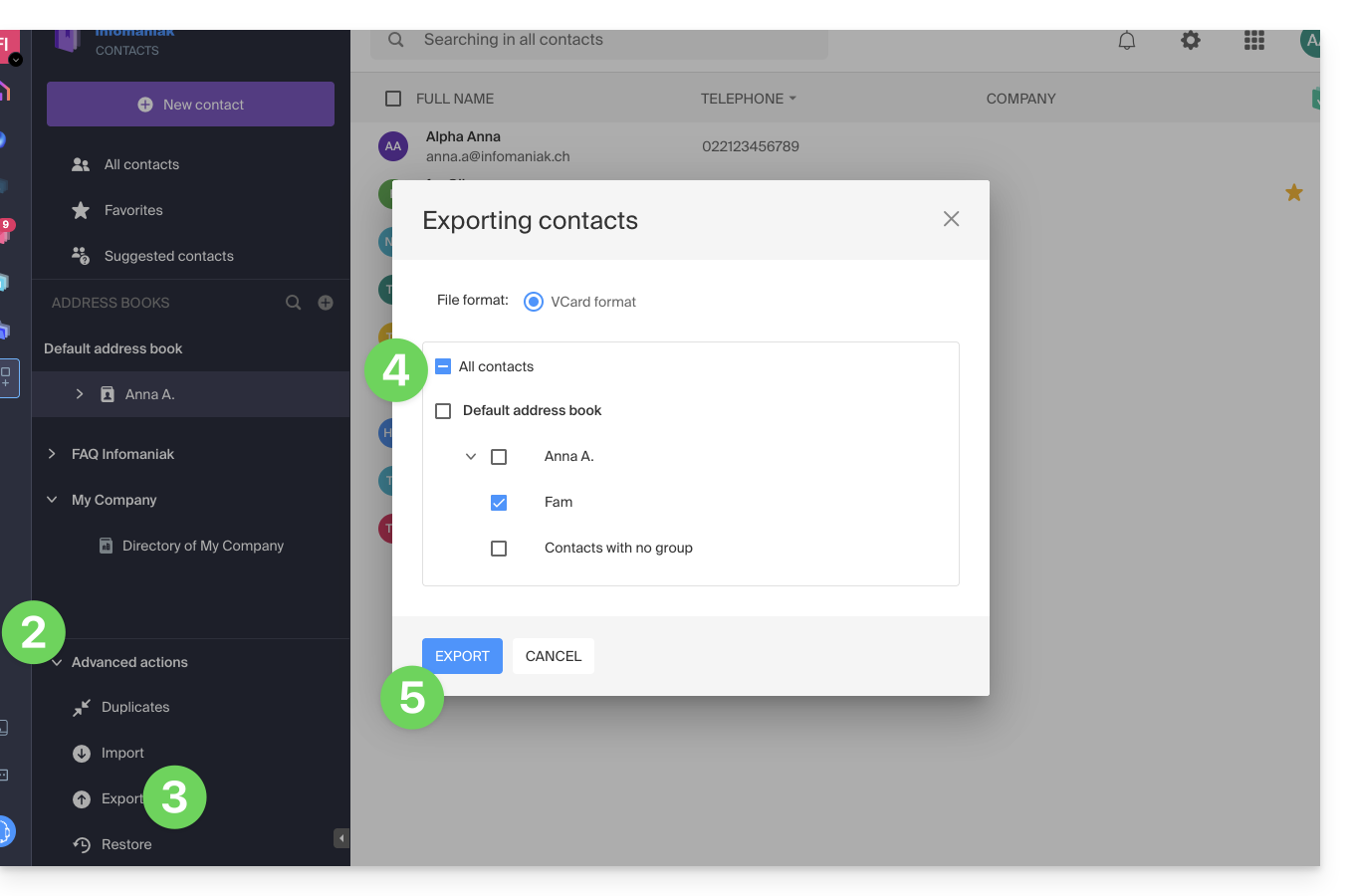
To select the contacts or address book to export:
- Click here to access the Infomaniak Web app Contacts (online service ksuite.infomaniak.com/contacts).
- Click on the chevron to expand the Advanced actions section.
- Click on the Export menu.
- Click on the address book to export.
- Click on the Export button:
- Choose the location on your device where you want to save the vCard file containing your contacts.
You can then open it in macOS Contacts or any compatible application.
Link to this FAQ: https://faq.infomaniak.com/2593
Has this FAQ been helpful?