Knowledge base
1000 FAQs, 500 tutorials and instructional videos. Here, there are only solutions!
Ticketing: Add resellers for your online ticketing system
Update 09/01/2026
This guide explains how to add users as resellers so they can sell tickets for your events (as part of the Infomaniak ticketing system).
Introduction
- If you have points of sale, partners, or simply cash registers at the entrance to the event, you can give them reseller access.
- This will allow you to grant them sales rights from the ticket office.
Add a reseller
To do this:
- Click here to access user management in the Infomaniak Manager (need help?).
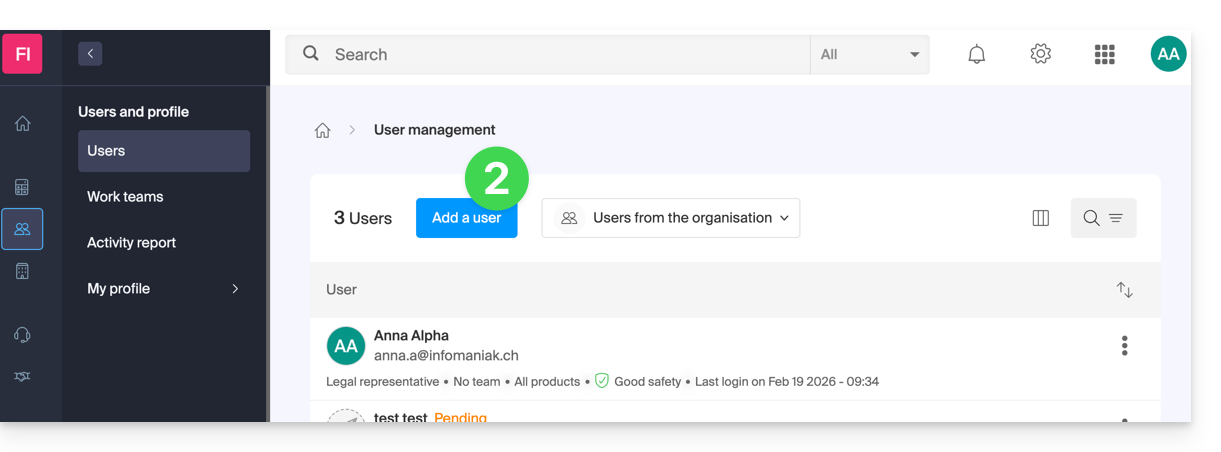
- Click on the Add user button at the top:
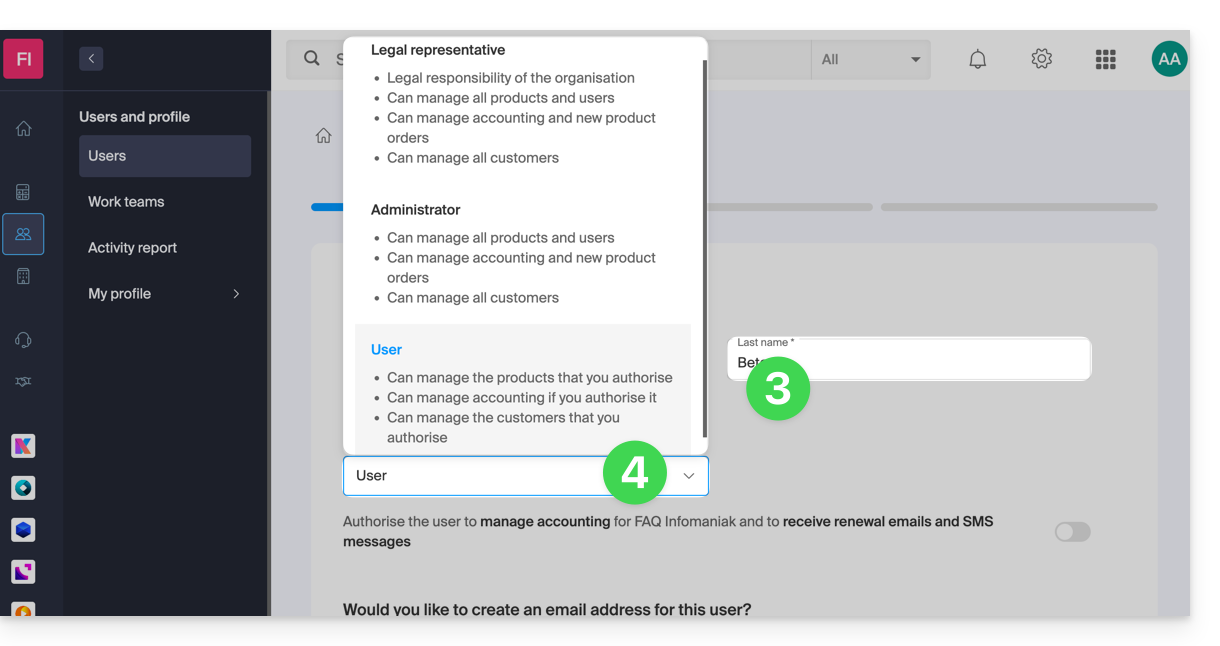
- Enter the user's details.
- Select User as the role:
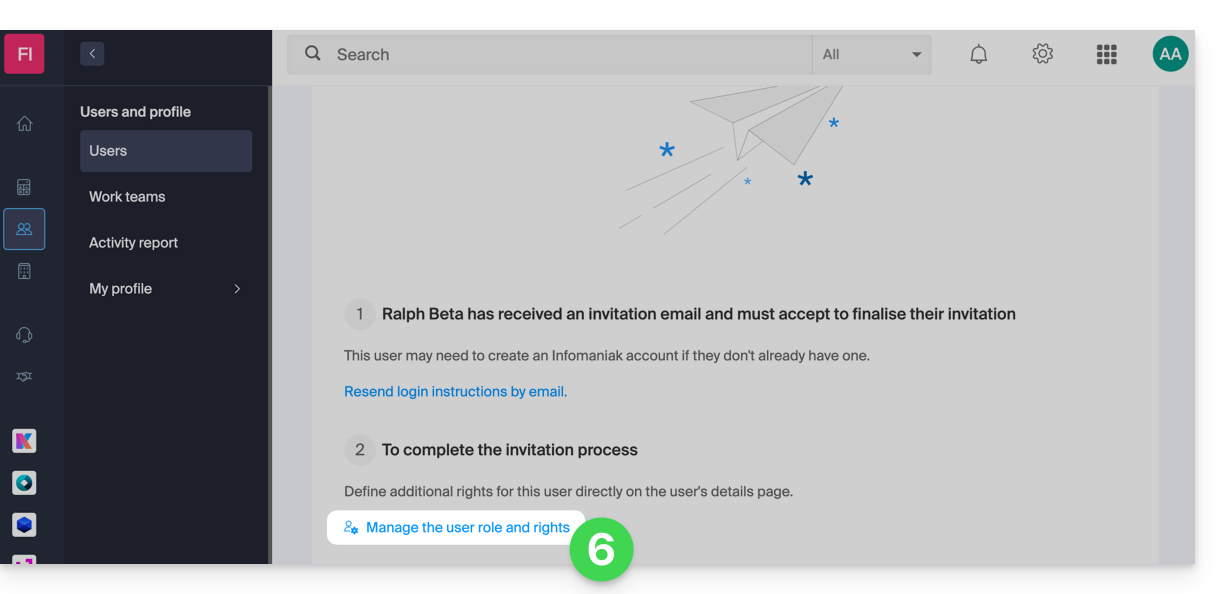
- Proceed to the next step (selecting a workgroup, if applicable) and complete the invitation.
- Click to choose the access permissions for the products:
- Expand the product administration section and click on Ticketing:
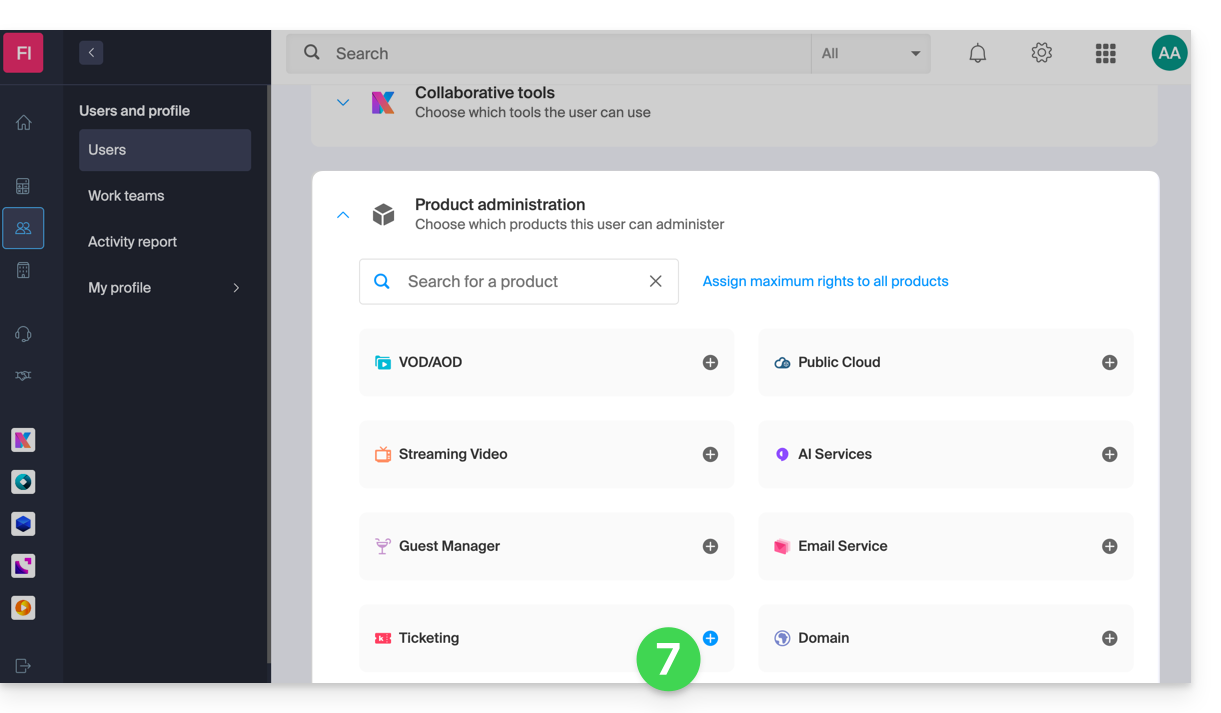
- A side panel will open – select the boxes to grant access to the relevant ticketing systems:
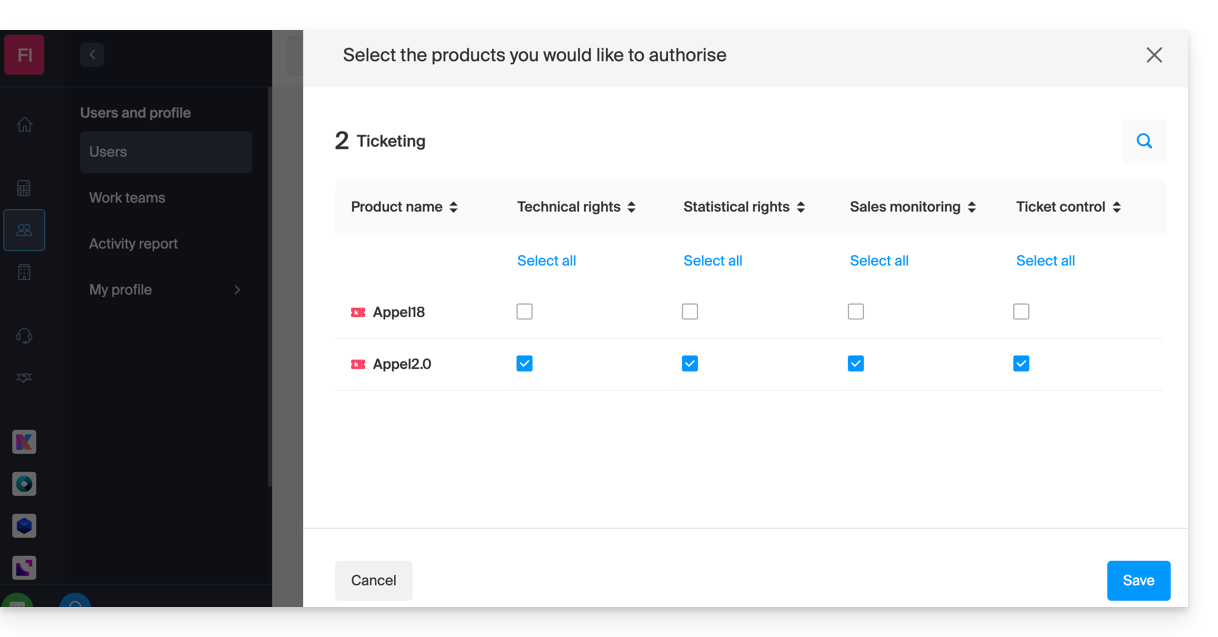
- Save your selection.
Details of user rights and access
1. Administrators
- Account owner (legally responsible for the account)
- Group administrator
- Billing administrator
- Accounting
2. Users
- Administrative — no rights assigned
3. Technical
- Programming Management
- Customers
- Mailing
- Customer export
- Promotional code (code generation)
- Shop/ticket design
- Ticketing integration
- Settings
4. Statistics
- Sales details
5. Ticket validation
- Ticket validation
6. Ticket sales
- Ticket sales
- Sales outlets
- Customers (excluding Mailing, export, and promo code management)
- Membership card management
7. Staff Management
- Staff
Next step
You can now create profiles to specify reseller access permissions…
Link to this FAQ: https://faq.infomaniak.com/1581
Has this FAQ been helpful?