

Knowledge base
1000 FAQs, 500 tutorials and explanatory videos. Here, there are only solutions!
Manage the tracking of a Newsletter (open statistics, etc.)
This guide explains how to enable or disable tracking in your next Infomaniak Newsletter.
Preamble
- A tracker is a small element (a 1-pixel image or a special link) inserted in the Newsletter.
- When the recipient opens the email, the image is downloaded from the sender's server, which records the opening.
- Not all email software/clients automatically load images, and some users choose to disable them; this means that a person who has read the email may be counted as never having opened it.
- The links in the Newsletter are transformed into redirect links via the tracking server, thus recording the clicks.
- Some email tools, like Outlook, automatically explore the links contained in the email, thus recording an opening even if the user never consulted it.
- Trackers are used to collect various data useful for marketers, such as:
- Open rate to know how many people opened the Newsletter
- Opening time to determine when the newsletter is opened
- Geographical location based on the recipient's IP address
- Device and software type to know the device (computer, smartphone, tablet) and the software (browser, email software/client) used to read the Newsletter
- Click-through rate to measure how many people click on the links in the Newsletter
- Conversions to track if the recipients perform specific actions after opening the Newsletter (purchases, registrations, etc.)
Enable statistics collection
Activate this option at the very first step of creating your Newsletter:
- Click here to access the management of your product on the Infomaniak Manager (need help?).
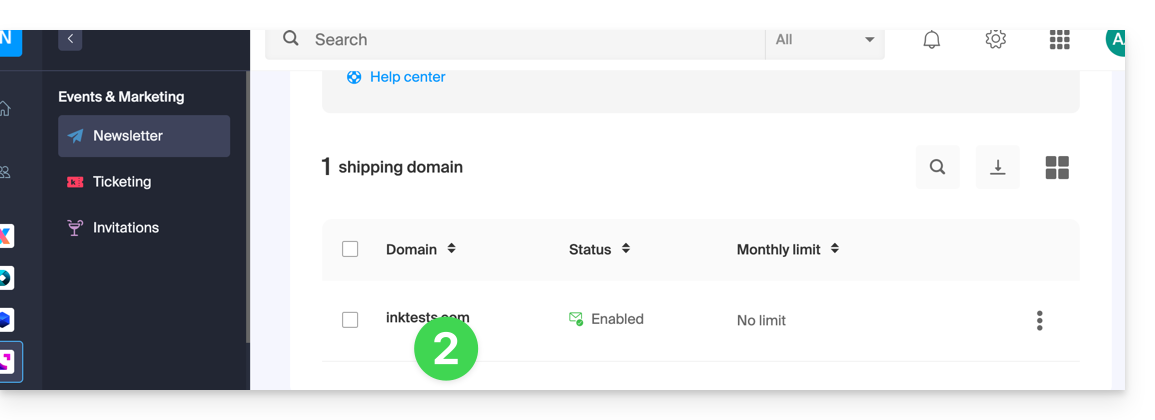
- Click on the domain name concerned in the table that appears:
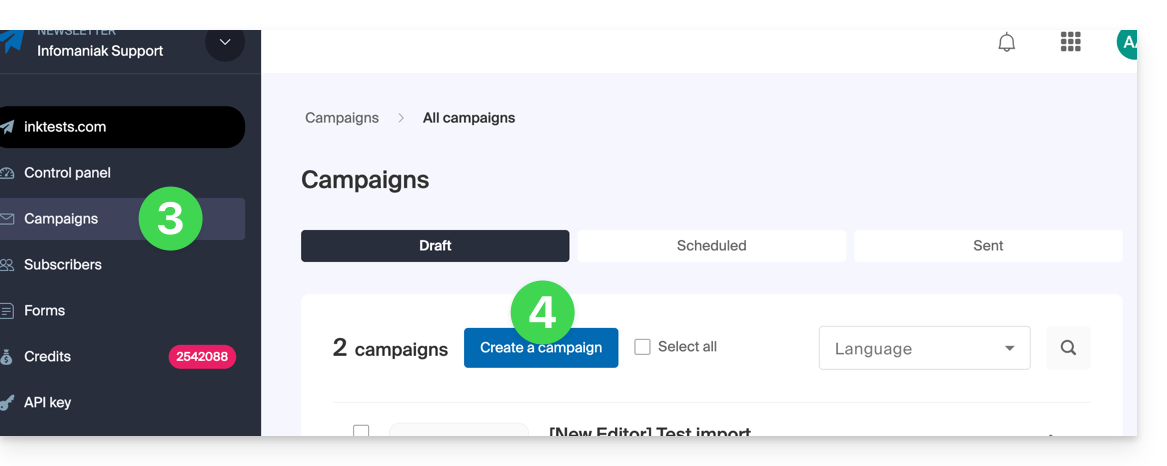
- Click on Campaigns in the left sidebar.
- Click on Create a campaign:
- Turn on the stats parameters using the toggle switches:
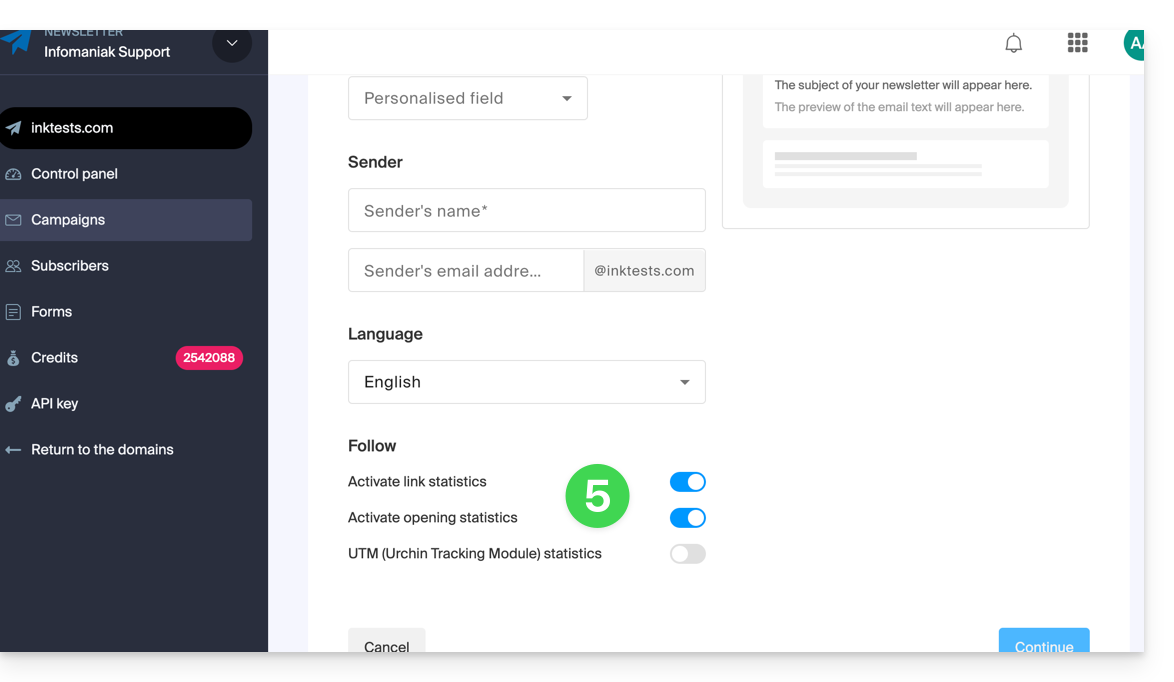
By deactivating statistics, the URLs of the links you insert within the body of your Newsletter will no longer be transformed, and you will not receive statistical feedback on the usage of your Newsletter by your recipients.
Refer to this other guide regarding the last option on the page.
Link to this FAQ: